

Sawgrass Printer Maintenance
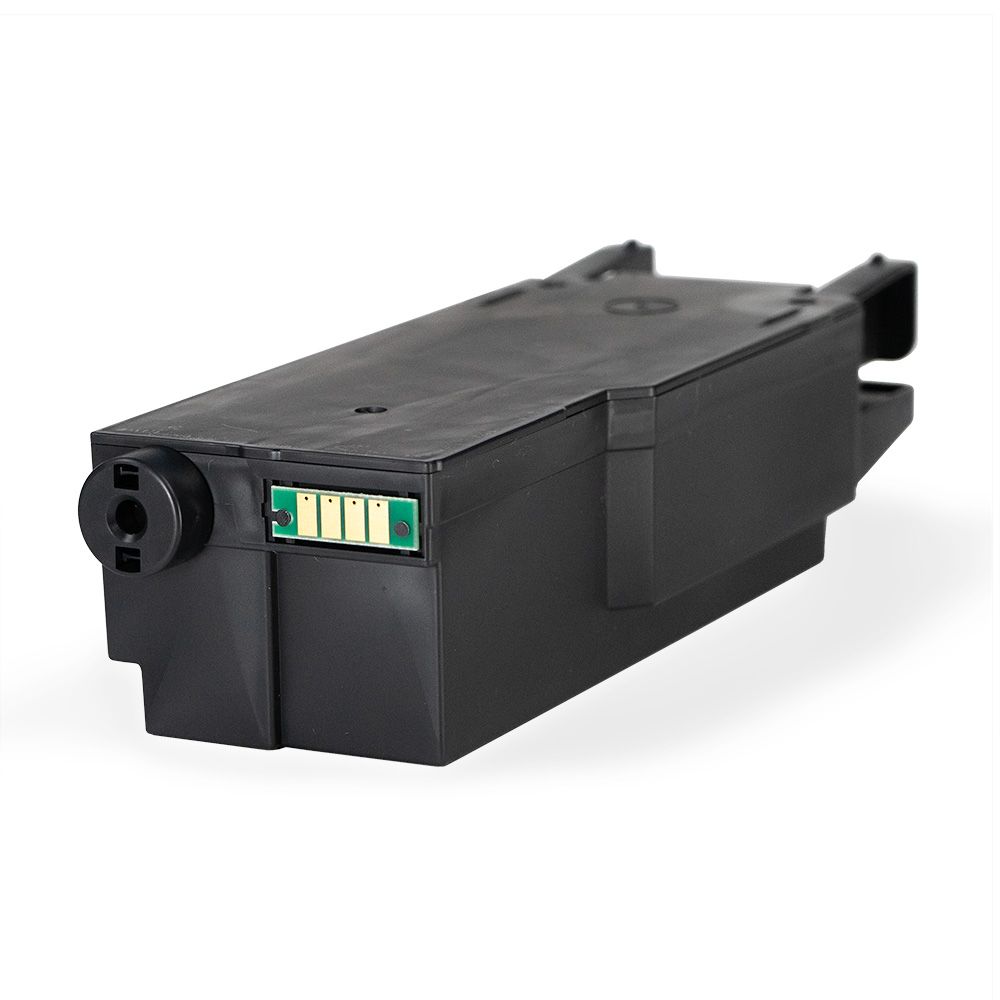
How to Replace a Sawgrass Waste Ink Collector Unit
Monitor and replace the collector unit in Sawgrass SG400, SG500, SG800, and SG1000 sublimation printers.
Keep Your Printer Running Reliably
Waste Ink Collector Maintenance for Sawgrass Printers
Maintaining a Sawgrass Virtuoso printer includes monitoring the waste ink collector, an important component in SG400, SG500, SG800, and SG1000 models.
This guide explains how to read the ink-level alerts, remove the full collector safely, install a replacement, and troubleshoot a unit the printer does not recognize.
SG400SG500SG800SG1000
02
Monitor Waste Ink Levels
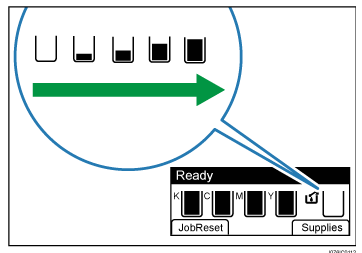
Check the waste ink level using the indicator icon above the waste-ink alert on the printer display.
03
Replace the Waste Ink Collector
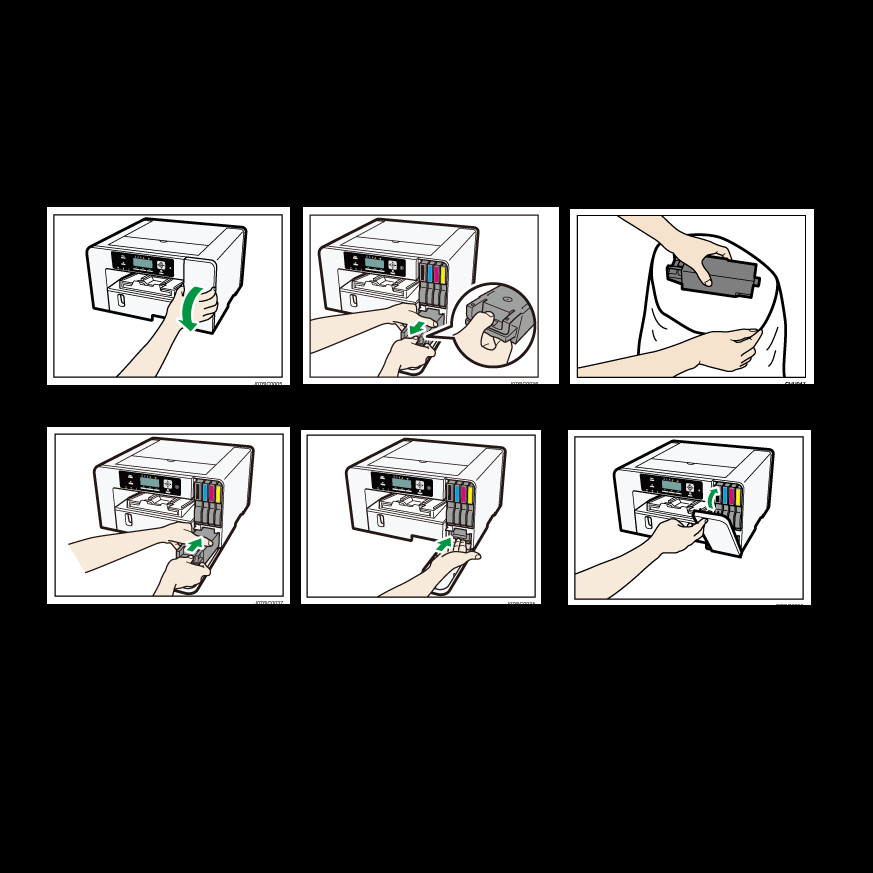
1. Remove the Old Collector
- Open the printer's right front cover.
- Wait approximately five seconds for the internal mechanism to stabilize.
- Locate the full collector, press the area marked “PUSH,” and slide the unit straight out horizontally.
2. Prepare and Install the New Collector
- Unbox the new waste ink collector.
- Place the old unit in the supplied plastic bag to prevent ink spills.
- Align the new collector with the slot and slide it in until it clicks securely into place.
3. Finish the Installation
- Close the printer's right front cover securely.